



Description & Overview
Game Booster to Boost your gaming experience with Game Mode
Features
Game Launcher - create your own game space where you can add you favourite apps/games to the My Games section and directly launch your game from the game launcher.
Sceencast - record or screenshot your screen and save files directly to your device.
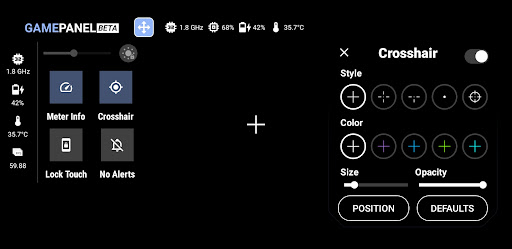
GameMode - it consist of various features listed below
● Brightness Controller
● Brightness Lock/Unlock Mode
● Volume Controller
● Meter Info
● G-Stats
● Crosshair
● Touch Lock Mode
● Rotation Lock Mode
● Sound Viz
● Screencast
● Net Optimizer
● Haptic
Net Optimizer uses a VPN Service to only setup a local VPN Interface to change the DNS server address.
Your Device Network traffic will not be sent to a remote VPN Server.
How to use GameMode and its features ?
1. Turn on GameMode in the GameMode section.
2. Add your favourite apps or games to \My Games\ in Game Launcher.
3. Click on a game in \My Games\ to launch it and activate GameMode.
For support, feedback and suggestions, please contact us at devayulabs@gmail.com.