

Description & Overview
️Caution: use it at your own risk. ️
️ Coins System Applied, you can either use our apps completely for free by watching Rewarded ads from paywall and earning free coins, or you can buy coins, or you can purchase the pro version to remove the coin system and ads. The choice is entirely yours. ️
️No app can damage a USB device, but unstable OTG connections can even destroy them. Ensuring OTG connection stability is the user\s responsibility. Use high-quality connectors, trusted USB devices, ensure your phone\s USB port is in good condition, and place your phone on a stable surface while processing. ️
**Supported Devices:**
- USB flash drives (OTG - No Root Required)
- USB SD card adapters (OTG - No Root Required)
- USB hard drives / SSDs (OTG - No Root Required)
- USB hubs (OTG - No Root Required)
- Internal SD card slots (Root Access Required)
**Supported disk image types**
Modern GNU/Linux operating system images, including Arch Linux, Ubuntu, Debian, Fedora, pop!_OS, Linux Mint, FreeBSD, BlissOS and many more
Raspberry PI SD card images
Official Microsoft Windows ISOs from microsoft.com
Apple DMG disk images
Older GNU/Linux OS images < 2010 such as Damn Small Linux
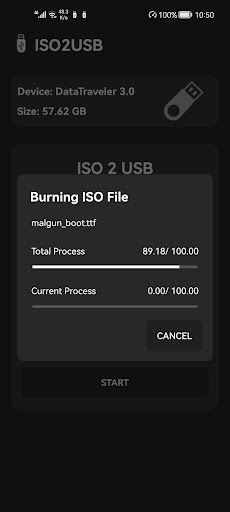
ISO 2 USB is the 1st app to burn ISO Files To USB Stick (Pin Drive) without root quite easy with amazingly simple UI, you can easily create bootable USB flash drive from your phone.
Support Window, Linux, ...
Note:
Your mobile must support OTG.