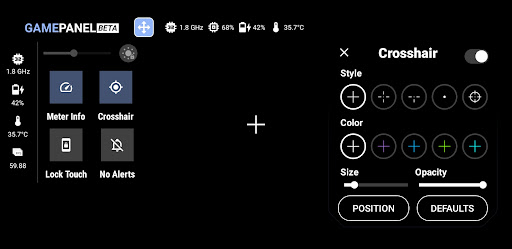
Game Booster to Boost your gaming experience with Game Mode Features Game Launcher - create your own game space where you can add you favourite apps/games to the My Games section and directly launch your game from the game launcher. Sceencast - record or screenshot your screen and save files directly to your device. GameMode - it consist of various features listed below ● Brightness Controller ● Brightness Lock/Unlock Mode ● Volume Controller ● Meter Info ● G-Stats ● Crosshair ● Touch Lock Mode ● Rotation Lock Mode ● Sound Viz ● Screencast ● Net Optimizer ● Haptic Net Optimizer uses a VPN Service to only setup a local VPN Interface to change the DNS server address. Your Device Network traffic will not be sent to a remote VPN Server. How to use GameMode and its features ? 1. Turn on GameMode in the GameMode section. 2. Add your favourite apps or games to \My Games\ in Game Launcher. 3. Click on a game in \My Games\ to launch it and activate GameMode. For support, feedback and suggestions, please contact us at devayulabs@gmail.com.
Game Mode Specifications
- Version: 0.1.0-rc236
- Requires: Android : 8.0
- Package Name: : com.devayulabs.gamemode
- Whats New: -
- Updated: 2025-12-03
- File size: : -
- Ratting : 0
- Price: Free
- Download from Google Play